The easiest karaoke queue management software for DJs
The easiest karaoke queue system for DJs. Guests request songs from their phone, you manage them automatically.
Set up your night in 3 simple steps
1. You create the event
Name your event and you're live in 60 seconds. Choose Spotify search (free) or upload your own playlist (Premium).
2. You share the guest link
Send the link or show the QR code. No app to install: your guests open it and start searching right away.
3. Guests add the songs
Each guest searches a song on their phone and adds it to the queue. You manage the queue live from your dashboard.
Before: Chaos and Confusion
- ✗Flying sticky notes everywhere
- ✗Requests for songs you don't have
- ✗People asking "when's my turn?"
- ✗Wasting time managing the list
After: Digital Order
- ✓Always updated digital queue
- ✓Only songs from your playlist
- ✓Everyone sees the order in real-time
- ✓You manage everything from one panel
Simple and Elegant Interface
See how easy it is to manage your karaoke night
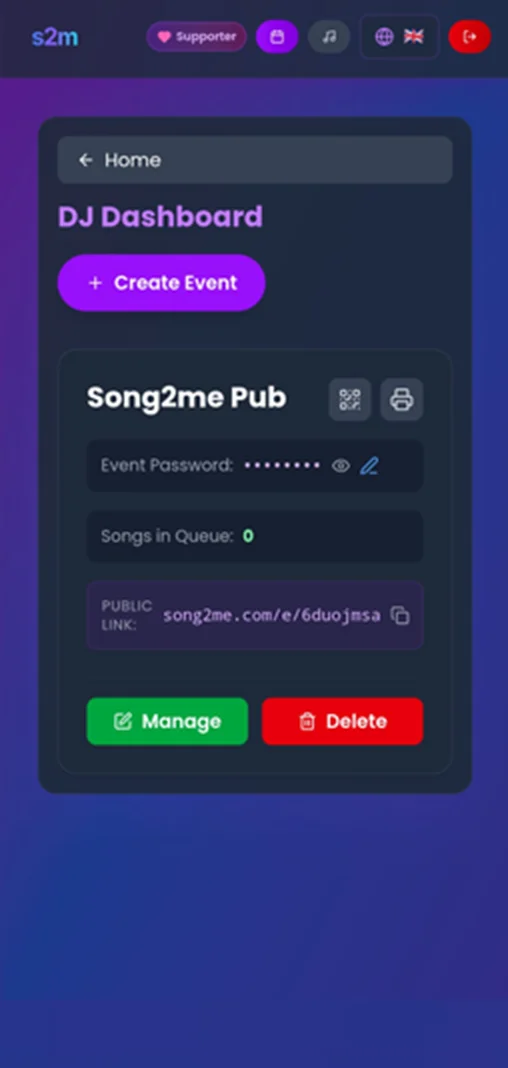
DJ Dashboard Preview
DJ Panel
Manage all requests from a single screen
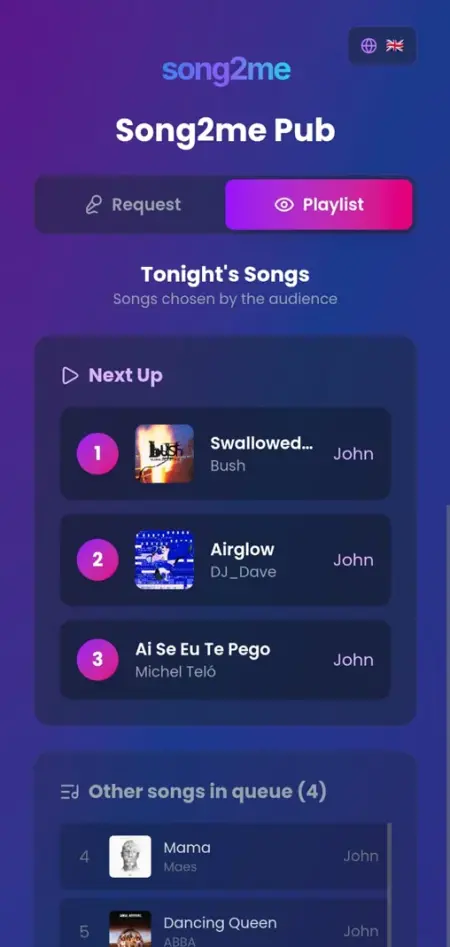
Guest View Preview
Guest View
Your guests see only available songs
Choose how to use Song2Me
Song2Me is an indie project. If you find it useful, consider giving us a hand!
DJ Start
Perfect to get started
- Manage 1 active event
- Spotify library
- Search among millions of Spotify tracks
Supporter ❤️
(Less than a coffee)
- ✨Manage multiple events simultaneously
- ✨Personal library: upload a CSV with up to 200 songs
- ✨Access YouTube karaoke catalogs
- ✨Choose search mode: your library, Spotify, or both
- ✨Supporter badge on your profile
What DJs Say
"Before I spent 20 minutes organizing requests with sticky notes. Now it's all automatic and customers love the QR code!"
"I upload my playlist and finally no one asks me for songs I don't have. Game changer for professional karaoke."
"I used it for 3 simultaneous events in different venues. Everything manageable from one dashboard. Super convenient!"
Frequently Asked Questions
Do I need to install an app?
NO. Guests simply use their smartphone browser after scanning the QR code. Zero downloads.
How do I upload my playlist?
Supporter plan only. You can upload up to 200 songs in CSV format and choose whether guests see only your songs or also Spotify.
Do I need an internet connection?
Yes, an internet connection is required for both you and your guests. The app works in the cloud to sync requests in real-time.
Can I manage multiple events together?
Yes! As a Supporter you can manage multiple events simultaneously, perfect if you work in multiple venues.
What if someone requests an unavailable song?
With an uploaded playlist (Supporter) guests see only your songs; with free Spotify they can search anything. Either way requests land in the same queue, and from there you decide what gets played and what to remove.
Can I try it for free?
Absolutely yes! The free plan is always available, no credit card required. Become a Supporter only if you want to support us and unlock extra features.
Got a karaoke night? Forget pen and paper
Create your event in 60 seconds. Your guests will request songs from their phone.